 Written by
 PageSpeed.web.dev Explained: The Complete Guide to Website Performance
Google’s most powerful performance diagnostic tool — and how to turn its findings into a faster, higher-ranking website.
| Engine | Google Lighthouse + Core Web Vitals |
|---|---|
| Data types | Lab data (simulated) and field data (CrUX, real users) |
| Score zones | Green 90–100, Yellow 50–89, Red 0–49 |
| Priority platform | Mobile — Google ranks mobile-first |
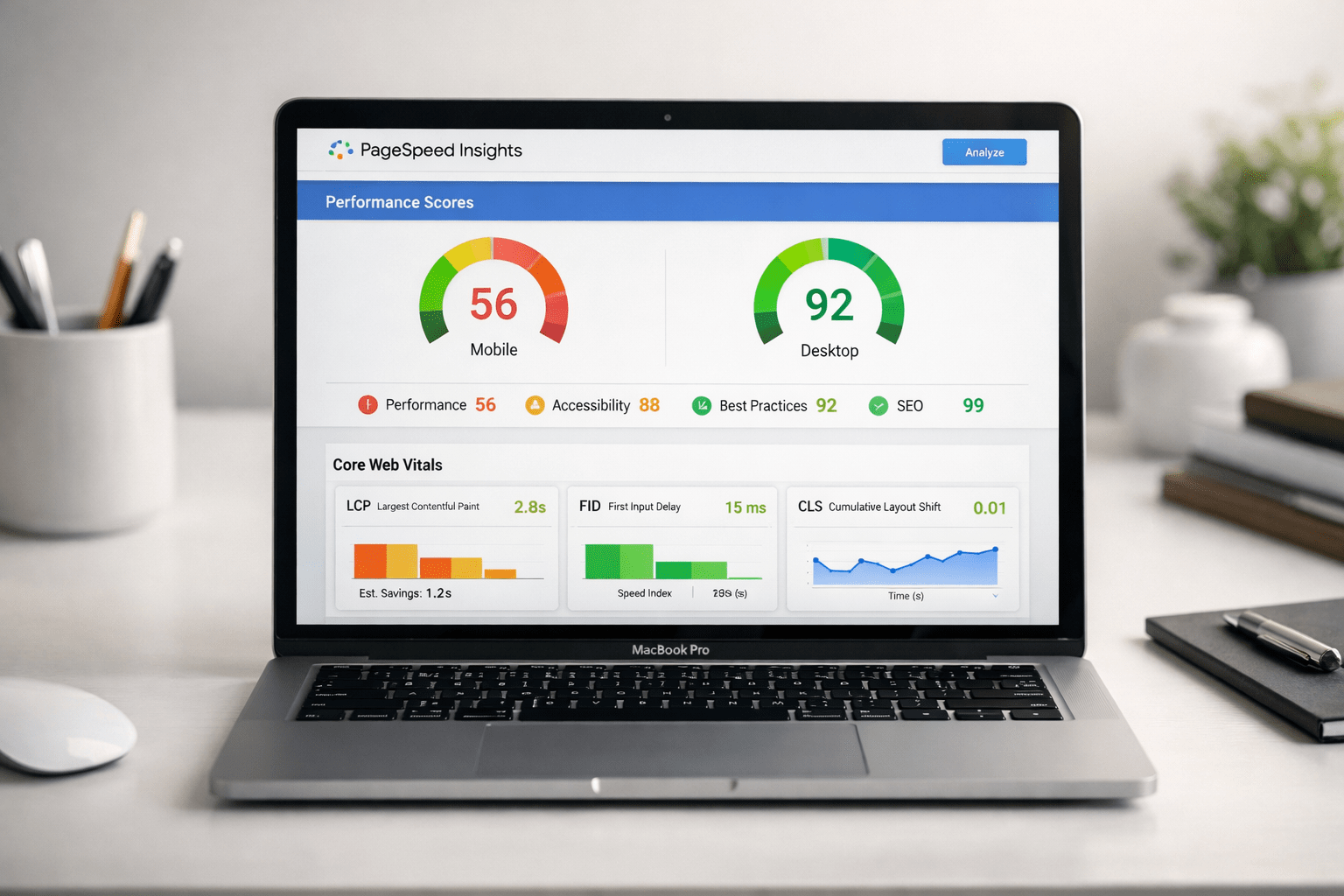
| Core metrics | LCP, INP (formerly FID), CLS |
Understanding PageSpeed.web.dev
PageSpeed.web.dev isn’t just another speed checker — it’s a complete diagnostic engine that examines how your site behaves on real devices under real-world conditions. It uses Google’s Lighthouse engine alongside Core Web Vitals, the same metrics Google uses for SEO evaluation.
What sets it apart is transparency: it doesn’t just show a score, it explains why things are slow and provides specific, actionable suggestions — for beginners and enterprise developers alike.
How PageSpeed.web.dev Works
When you enter a URL, Lighthouse simulates how a real user would load your site under controlled device and network conditions, because not every visitor has a fast phone or fiber connection.
Lab Data
Collected from controlled, simulated tests — great for repeatable diagnosis and verifying fixes.
Field Data
Real-world experience from the Chrome User Experience Report (CrUX) — what actually happens for real visitors.
If lab results look great but field results are weak, your site is likely behaving differently under real-world conditions like network congestion or low-end devices.
Why Page Speed Matters for SEO
Core Web Vitals redefined what a “good” website should feel like to real users. If your site loads slowly, lags on interaction, or shifts content unexpectedly, Google reads that as poor experience — and rankings can slip.
Slow pages hit the bottom line too: most people won’t wait more than three seconds, and conversion rates drop noticeably with every added second of delay. Even small changes — compressing images, trimming unused JavaScript, improving server response — can produce measurable SEO gains.
Key Metrics Analyzed
1Largest Contentful Paint (LCP)
How long the largest visible element takes to load — the moment a page feels ready. Google recommends keeping it under 2.5 seconds.
2Interaction to Next Paint (INP)
Measures responsiveness — how quickly the site reacts to clicks or taps. Often slowed by bloated JavaScript.
3Cumulative Layout Shift (CLS)
Measures visual stability — unexpected jumps from images or ads without defined dimensions.
4Supporting Metrics
Speed Index, Time to Interactive, and Total Blocking Time round out the deeper technical picture.
How to Run a PageSpeed Test Correctly
Pasting a URL and hitting “Analyze” isn’t enough for reliable results — treat it as a structured diagnostic, not a one-click check.
Test Mobile First
Google ranks mobile-first, and mobile scores are naturally stricter due to weaker processors and networks.
Test the Right URL
Use the canonical, indexed version of your page — HTTP vs. HTTPS or www variations can mislead results.
Run Multiple Tests
Three to five tests, averaged, account for fluctuations in server load and network conditions.
Read the Diagnostics
The score is a snapshot — the real value is in the prioritized recommendations and waterfall charts.
Interpreting Your PageSpeed Score
| Green (90–100) | Excellent |
|---|---|
| Yellow (50–89) | Needs improvement |
| Red (0–49) | Poor |
Your score is a weighted calculation — LCP and Total Blocking Time influence it far more than Speed Index or Time to Interactive. Google doesn’t rank on the numerical score itself; it ranks on how well your site performs on LCP, INP, and CLS for real users.
Top Issues Found in PageSpeed.web.dev
1Render-Blocking Resources
JavaScript and CSS files that stop the browser from displaying content until they finish loading.
2Unoptimized Images
The most widespread issue on the web — large files, wrong formats, no compression.
3JavaScript Bloat
Plugins, frameworks, and tracking scripts pile up and devastate mobile responsiveness and INP.
4Other Recurring Issues
Slow server response, missing caching, oversized fonts, and layout shifts from unsized elements.
How to Improve Your PageSpeed Score
You don’t need to be a hardcore developer — many wins come from simple, strategic adjustments.
Quick Wins
Next-gen image formats, browser caching plugins like WP Rocket or LiteSpeed Cache, and trimming unnecessary plugins.
Deeper Optimizations
Reduce unused JavaScript, minify files, defer non-critical scripts, and inline essential CSS.
Server Performance
Better hosting, a CDN, server-level caching like Redis, and database optimization cut response times.
Third-Party Scripts
Lazy load analytics, tracking pixels, and chat widgets, or delay them until user interaction.
Optimizing Images for Faster Loading
Images are often the single largest files on a page — and the problem most owners don’t notice until an audit flags it.
1Choose the Right Format
WebP and AVIF offer drastically smaller sizes than JPG or PNG without sacrificing quality.
2Size Images Properly
Don’t serve a 3000px image at 300px — use responsive images like srcset to match the display size.
3Lazy Load Offscreen Images
Delay loading images until they scroll into view to save bandwidth and speed up initial load.
4Compress and Clean Up
Tools like TinyPNG, Squoosh, ShortPixel, or Imagify strip unnecessary metadata while keeping images sharp.
Improving Server Response Time
If your server is slow, no amount of front-end optimization fully compensates — it’s the engine of your website.
Better Hosting
Cheap shared hosting means sharing resources with hundreds of sites. Providers like LiteSpeed, Cloudways, or Kinsta offer faster TTFB.
Caching
Full-page caching via WP Rocket or LiteSpeed Cache avoids rebuilding pages from scratch on every visit.
CDN
Cloudflare, BunnyCDN, or Fastly serve static assets from the server closest to each visitor.
Server Configuration
Upgrading PHP, enabling OPcache, and using HTTP/2 or HTTP/3 reduce overhead instantly.
Reducing JavaScript and CSS Payload
Heavier scripts and styles mean users wait longer before they can interact — especially on low-powered mobile devices.
1Identify What’s Actually Used
Themes and page builders often load full script bundles even when only a small part is needed.
2Minify and Compress
Tools like Terser, CSSNano, or Autoptimize strip whitespace and unnecessary characters automatically.
3Defer Non-Essential Scripts
Delay anything not needed for the initial view to reduce render-blocking behavior.
4Inline Critical CSS
Only the styles needed for the visible part of the page load first, so the browser can start painting immediately.
Real-World Examples of Page Speed Optimization
| eCommerce store | Mobile score rose from 34 to 87, LCP dropped to 1.9s, conversions up 22% |
|---|---|
| Content-heavy blog | Score climbed from 59 to 92, session duration up 31%, bounce rate down |
The eCommerce fix combined WebP images, lazy loading, plugin cleanup, and a LiteSpeed hosting migration. The blog fix added a CDN, fixed layout shifts from ad placements, and delayed third-party scripts. Both prove the same principle: a handful of targeted improvements can transform performance.
Tools That Complement PageSpeed.web.dev
Chrome Lighthouse & DevTools
Granular device and network simulation, plus a Performance tab for code-level bottlenecks.
GTmetrix
Waterfall analysis showing the exact load order and what’s blocking rendering, tracked over time.
WebPageTest
Deep customization — specific locations, devices, connection speeds, and filmstrip comparisons.
Pingdom, SpeedVitals & Cloudflare Observatory
Extra layers of real-world testing, device comparisons, and CDN-focused evaluation.
Common Myths About Page Speed
1“A perfect 100 is necessary for good SEO”
Not true — countless top-ranking sites sit in the yellow or even red zones. Core Web Vitals matter more than the number.
2“Fast desktop means optimized”
Google evaluates mobile performance primarily, which is far more demanding on weaker processors and networks.
3“Third-party scripts don’t affect performance”
Ads, analytics, and chat widgets are among the biggest contributors to slow loading and poor INP.
4“Page builders automatically optimize everything”
Builders add extra code by default — intentional optimization is still required.
5“If it’s fast for me, it’s fast for everyone”
Your browser caches your own visits — new visitors don’t get that head start.
Final Tips for Maintaining High Scores
Keep This Habit Loop
- Run regular audits — weekly or monthly, especially after updates
- Review plugins and third-party scripts before adding more
- Keep your CMS, themes, and server software up to date
- Compress and resize media before every upload
- Use CDN-level automatic optimization features
Performance isn’t a one-time task — it’s a habit, much like fitness. When speed becomes part of your workflow rather than an afterthought, your site stays fast and Google rewards you with better visibility.
The Bottom Line
PageSpeed.web.dev is a complete diagnostic system, not just a scoring tool. Optimizing images, cleaning up JavaScript, improving server performance, and running regular audits each compound into a faster, more reliable website — and every corner of your online presence benefits from the investment.
Frequently Asked Questions
Why is my PageSpeed score different on mobile and desktop?
Because Google simulates mobile devices with slower processors and networks. Mobile scores are always stricter and more important for SEO.
Does a low PageSpeed score mean my site can’t rank?
No. Google ranks based on Core Web Vitals and real-world user experience, not just your numerical score.
How often should I test my site on PageSpeed.web.dev?
Weekly or monthly checks are ideal, especially after updates, new plugins, or content changes.
What’s the fastest way to improve LCP?
Optimize images, reduce server response time, and remove render-blocking resources.
Can too many plugins make my site slow?
Absolutely. Every plugin adds scripts, styles, or database queries — choose carefully and remove what you don’t need.
Contact
Available for contract work involving WordPress development, SEO/AEO, and digital marketing.
- LocationKhulna, Bangladesh
- Websitemahadi.moejja.com
- Platformmoejja.com
- WhatsAppMessage on WhatsApp